Logo
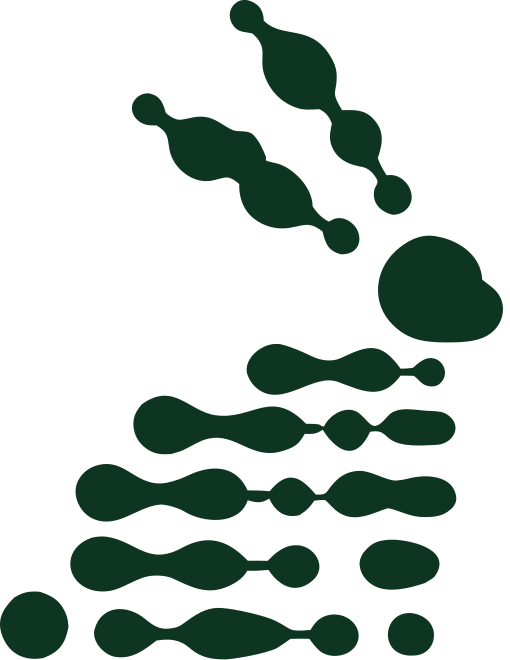
The Matrix rabbit, in three approved looks, with clear space, sizes and the app icons built from it. One canonical mark, never redrawn.
Setup
Copy components/brand/rabbit-mark.tsx into your app. It is the canonical mark from matrix-os packages/brand/src/marks.ts: a 510 × 660 viewBox, filled with currentColor, so it takes the color of the text around it.
For design tools and files outside React, download the SVG:
| File | Color | Use |
|---|---|---|
rabbit-mark.svg | teal-800 #0E3422 (Forest) | Forest (default) and Signal looks |
rabbit-mark-white.svg | neutral-25 #FAFAFA | Sentinel look, app icons |

Usage
Size the mark by its height and let the width follow (h-* w-auto). That keeps the 510:660 shape.
Looks
text-teal-800Product UI, light launch screen, print and marketing on light13.1:1bg-teal-800text-neutral-25App icons, favicon, launch screen (dark)13.1:1bg-gold-300text-teal-800Marketing only, never in the product8.4:1There are three looks. Forest is the default; the other two have one job each:
| Look | Rabbit on | Where |
|---|---|---|
| Forest (default) | teal-800 on a light surface (text-teal-800) | The product UI (nav, sign-in, empty states), the light launch screen, print and marketing on light backgrounds |
| Sentinel | near-white on teal-800 | App icons, favicon, the dark launch screen |
| Signal | teal-800 on gold-300 (Wheat) | Marketing only: store screenshots, banners, social |
The mark is a brand asset, so it uses brand-scale classes (text-teal-800) rather than a semantic token. Green-500 (brand) stays the brand color for badges and highlights, not for the mark.
Logos are exempt from WCAG contrast rules, but every look is 8:1 or more: Forest on the page is 13.1:1.
Marketing pairs
bg-teal-800text-neutral-2513.1:1bg-teal-800text-gold-3008.4:1bg-gold-300text-teal-8008.4:1bg-neutral-25text-teal-80013.1:1font-headingtext-gold-3008.4:1Marketing (store screenshots, banners, social, print) uses only these pairs. Three colors, used in pairs that keep the rabbit clear: Forest (teal-800 #0E3422), Wheat (gold-300 #F1C379) and near-white (neutral-25 #FAFAFA).
| Rabbit or wordmark | Background | Name |
|---|---|---|
| near-white | Forest | Sentinel |
| Wheat | Forest | Wheat on Forest |
| Forest | Wheat | Signal |
| Forest | near-white | Forest |
Any other pair is off-brand, including near-white on Wheat (1.6:1, the rabbit fades), green or coral rabbits, and rabbits on photos or other brand colors.
Clear space
Keep at least one ear-width of empty space on every side: 1/8 of the mark's height, rounded up to the spacing scale. Nothing else (text, edges, other marks) goes inside it.
| Mark height | Clear space | Class on the wrapper |
|---|---|---|
16–32px (h-4–h-8) | 4px | p-1 |
40–48px (h-10–h-12) | 6px | p-1.5 |
64px (h-16) | 8px | p-2 |
96px (h-24) | 12px | p-3 |
128px (h-32) | 16px | p-4 |
Sizes
h-4 · 16pxMinimum (PROVISIONAL)h-5 · 20pxNav, toolbarh-6 · 24pxHeadersh-8 · 32pxSign-in, dialogsh-12 · 48pxEmpty statesh-16 · 64pxBrand momentsMinimum: 16px tall (h-4). Below that the strokes merge. PROVISIONAL: to be checked on a real device.
The wordmark is written as text, "Matrix OS", never "MatrixOS". A fixed rabbit-and-wordmark lockup isn't designed yet; until it is, don't build one by hand.
App icons
Every app icon uses the Sentinel look: a near-white rabbit (neutral-25 #FAFAFA) on Forest (teal-800 #0E3422). Flat colors only: no gradients, blend modes, glass or see-through layers. Decided 2026-10-12.
iOS
| Spec | Value |
|---|---|
| Master | 1024 × 1024, an Icon Composer file (apps/mobile/assets/app.icon) |
| Background | Solid teal-800 #0E3422 |
| Rabbit | neutral-25 #FAFAFA, about 66% of the tile height, centred, scale 1, no offset |
| Default and dark | The same icon |
| Tinted | Near-white rabbit on transparent; iOS reads the brightness and applies the tint |
| Clear light | Rabbit layer set to teal-800 (a white rabbit disappears on frosted white) |
Android
| Spec | Value |
|---|---|
| Adaptive canvas | 108 × 108dp (export 432 × 432px) |
| Background layer | Solid teal-800 #0E3422 (adaptiveIcon.backgroundColor in app.json) |
| Foreground layer | neutral-25 rabbit on transparent, inside the 66dp safe circle (about 47% of the canvas), file adaptive-icon.png |
| Monochrome layer | Required for Android 13+. The same rabbit, one color on transparent (adaptiveIcon.monochromeImage) |
| Notification icon | 96 × 96px, the full rabbit, white on transparent (notification-icon.png). Don't simplify the mark. |
| Play Store | 512 × 512px PNG, full square; Google applies the mask |
Launch screen
Follows the device's light or dark setting: Forest (teal-800 rabbit on neutral-25) in light, Sentinel (neutral-25 rabbit on teal-800) in dark. The rabbit sits centred at the same size as on the icon.
Web and favicon
PROVISIONAL: proposed, not yet decided.
| File | Size | Content |
|---|---|---|
app/icon.svg | Scalable | Sentinel tile, rounded-lg corners |
app/favicon.ico | 16 and 32px | The same tile, exported |
app/apple-icon.png | 180 × 180 | Full-square Sentinel; iOS rounds it |
icon-192.png, icon-512.png | 192, 512 | Web app manifest, Sentinel tile |
icon-maskable-512.png | 512 | Full-bleed teal-800, rabbit inside the central 80% circle |
The tile keeps the rabbit readable in both light and dark browser tabs, where a bare Forest rabbit would disappear on a dark tab.
Mac app
PROVISIONAL: proposed, not yet decided.
| Spec | Value |
|---|---|
| macOS 26 and later | Reuse the iOS Icon Composer file, so the two match |
Earlier macOS (AppIcon.icns) | 1024 × 1024 canvas, a centred 824 × 824 rounded tile (100px margin), Sentinel, flat: no bevel, gloss or baked-in shadow |
| Icon set | 16, 32, 128, 256 and 512px, each at @1x and @2x |
Don'ts
Accessibility
RabbitMarkisaria-hidden. When it's the only content of a link or button, give that element anaria-label("Matrix OS home").- When the mark stands alone for the brand, wrap it:
<span role="img" aria-label="Matrix OS"><RabbitMark … /></span>. - Never use the mark as an icon for an action (send, run, new chat). Actions use Lucide icons.
Guidelines
- Use
RabbitMarkor the downloaded SVG; it is the one canonical mark. - Size it by height with
w-auto, at 16px or more, with one ear-width of clear space. - Use Forest by default, Sentinel for every app icon, and Signal only in marketing.
- One rabbit means Matrix. Agents get the mascot (its own component, coming later), not the mark and not an Avatar.
- Don't redraw, stretch, rotate, outline, crop or simplify the mark, even for small icons.
- Don't add glows, blend modes or transparency to the rabbit, and don't color it off the brand scales.
- Don't give the rabbit a face, speech bubbles or a personality line.
For which look to pick and when, see the Using the logo guide.